A calm outliner for macOS
Sift your thoughts into focus.
A keyboard-first, infinitely nested outliner for organizing ideas and tasks in a state of flow. Zoom into any list, navigate with your arrow keys, and let everything else fall quiet.
Free to try · macOS 12 and later
Built for thinking
Everything in its place, nothing in your way.
Sift gives structure to scattered thoughts without ever getting loud. A handful of focused ideas, working together.
-
Infinitely nested lists
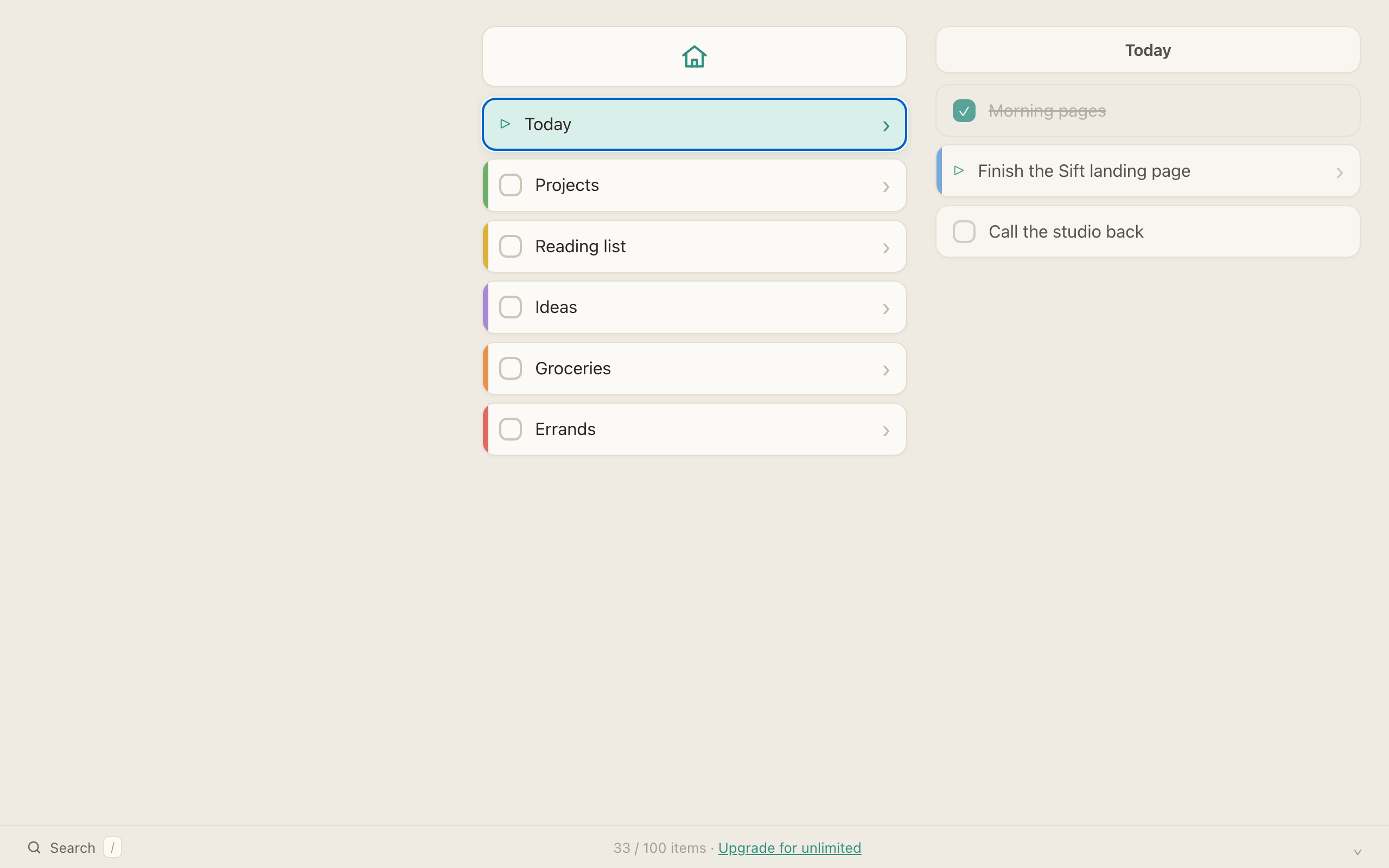
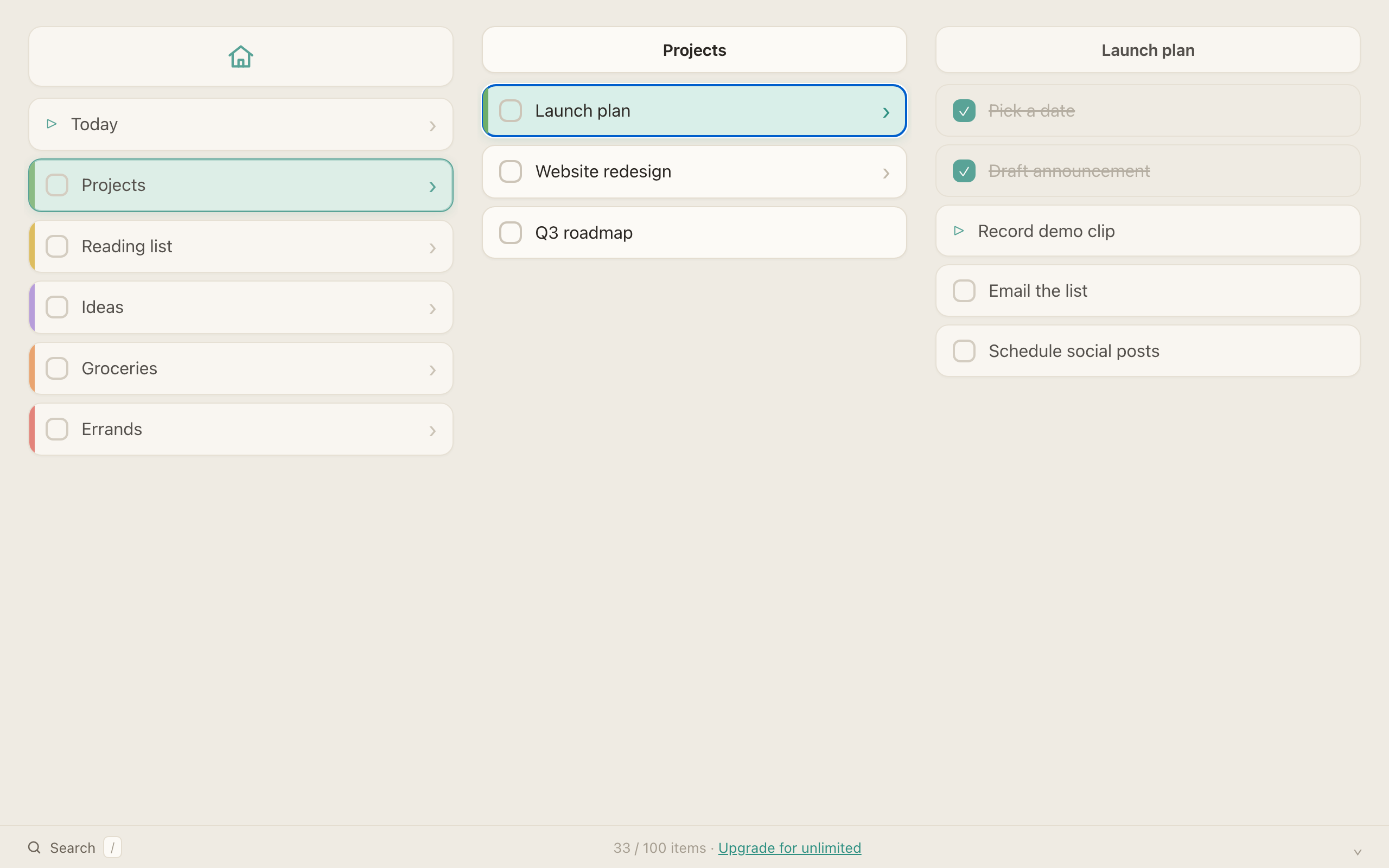
Every item can hold its own list. Outline a whole project, then drill into any single thought without losing the bigger picture.
-
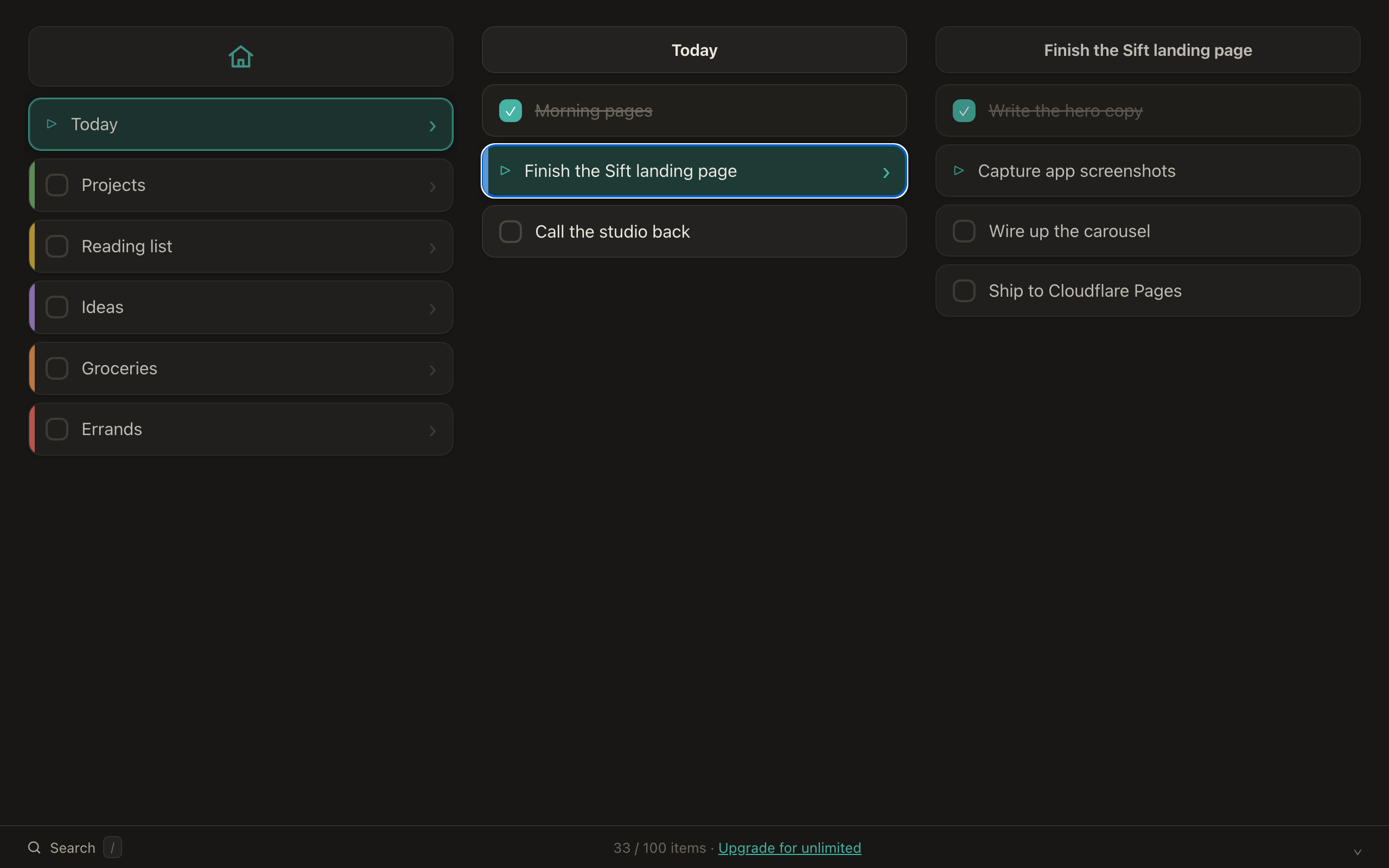
Three-column miller view
Overview, focused list, and details side by side. Move through your hierarchy with arrow keys and always know where you are.
-
Fully keyboard-driven
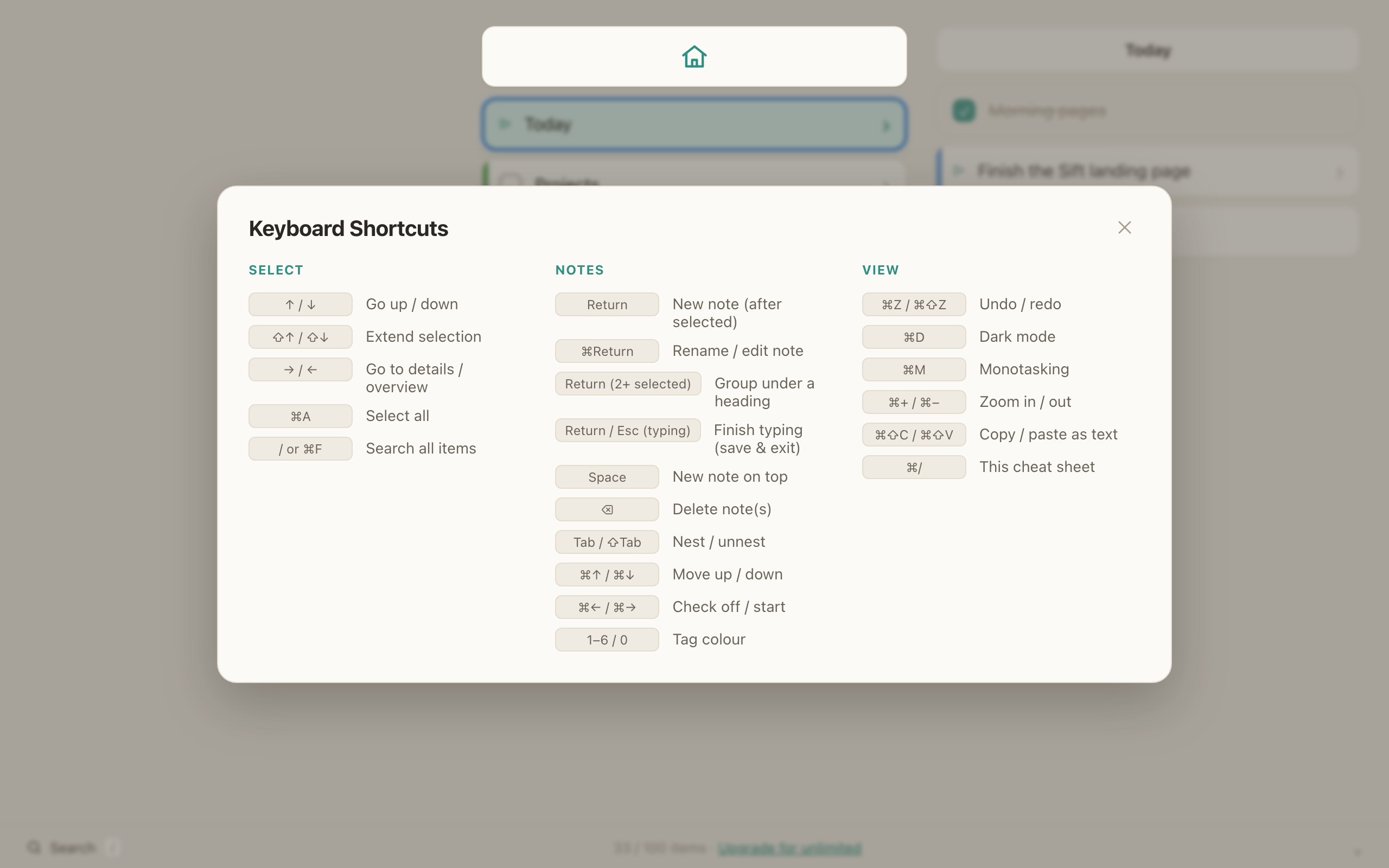
Create, rename, move, nest, and navigate without ever reaching for the mouse. Everything has a shortcut, and they fade into muscle memory fast.
-
Focus & zoom
Zoom into any list to make it your whole world for a moment. The rest of the tree waits patiently until you zoom back out.
-
Colour tags
Mark items with a soft palette of colour tags to group, prioritize, and scan at a glance. Calm hues, never circus colours.
-
Start it, check it off
Mark any item as started with ⌘→ or done with ⌘←, then filter by status to see only what is still open.
-
Dark mode
A warm light theme for daytime and a deep, low-glare dark theme for late nights. One shortcut flips between them instantly.
-
Monotasking mode
Go fullscreen on a single list and let the interface melt away. Pure focus for deep work, with nothing left to distract you.
-
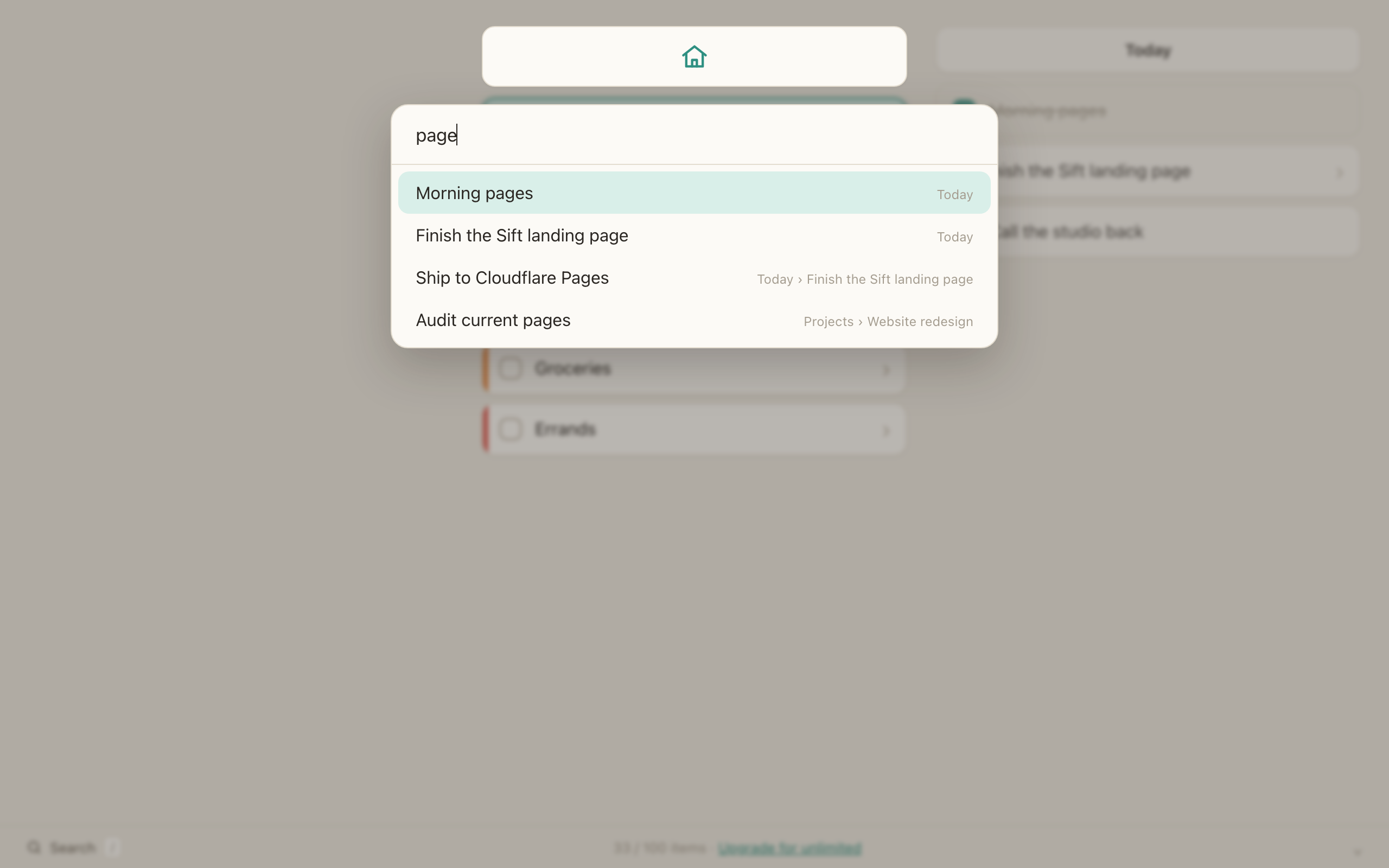
Instant search
Find any item anywhere in your tree in a keystroke. Jump straight to it, no scrolling, no remembering where you filed it.
-
Import & export
Your outlines are yours. Move notes in and out as simple indented plain text, or as a full-fidelity JSON backup — no lock-in, no proprietary cage.
-
Keyboard-driven filters
Press a key to narrow the view to a colour or a status, then clear it just as fast. Sift to exactly what matters without lifting your hands.
-
Drag to rearrange
When you'd rather use the mouse, drag any item to move or re-nest it — even across columns. Structure follows your thinking either way.
-
Automatic backups
Sift quietly keeps a local backup as you work, so a wrong move is never the end of the story. Everything stays on your machine.
Designed for the keyboard
Hands stay home. Thoughts keep moving.
Sift is built to be played like an instrument. The shortcuts you reach for most are the ones already under your fingers, so capturing and reshaping ideas never breaks your flow.
- ↩ New note
- ⌘↩ Rename item
- Tab Nest deeper
- ⇧Tab Outdent
- ⌘↑ Move up
- ⌘↓ Move down
- / Search
- f Filter
- ⌘C / ⌘V Copy / paste notes
- ⌘D Toggle dark mode
- ⌘M Monotasking
Start sifting today.
Bring calm, structured order to everything on your mind. Download Sift and write your first list in under a minute.
Download on the Mac App StoreFree · 100 notes · Sift Pro $9.99 for unlimited · macOS 12 and later